IQ Option Account Registration: How to Register Your Trading Account
Writen By

Online Trading Platform Researcher and Guide Writer
Researches broker platforms and trading account Systems.
Getting a live trading account set up and approved is the first step before you can place trades on IQ Option, but new users often stumble over missing documents, verification holds, or payment method restrictions. Prepare a valid photo ID, proof of address, a working email and phone number, and decide whether you’ll start with a demo or fund a live account. Choosing the right account currency and using accurate legal names speeds processing, while enabling two-factor authentication and a strong password protects your access from the outset.
This article outlines the account registration workflow, key requirements, and common errors to avoid so you can register, verify, fund, and access trading faster. You’ll get a clear checklist for submitting ID and address documents, tips for confirming your email and phone, guidance on funding options accepted during onboarding, and practical next steps if verification is delayed or a deposit is rejected. Keep records of your documents and contact support promptly if something doesn’t match to prevent account limitations.
This article outlines the account registration workflow, key requirements, and common errors to avoid so you can register, verify, fund, and access trading faster. You’ll get a clear checklist for submitting ID and address documents, tips for confirming your email and phone, guidance on funding options accepted during onboarding, and practical next steps if verification is delayed or a deposit is rejected. Keep records of your documents and contact support promptly if something doesn’t match to prevent account limitations.
How to Register with an Email
1. You can sign up for an account on the platform by clicking the “Sign Up” button in the upper right corner.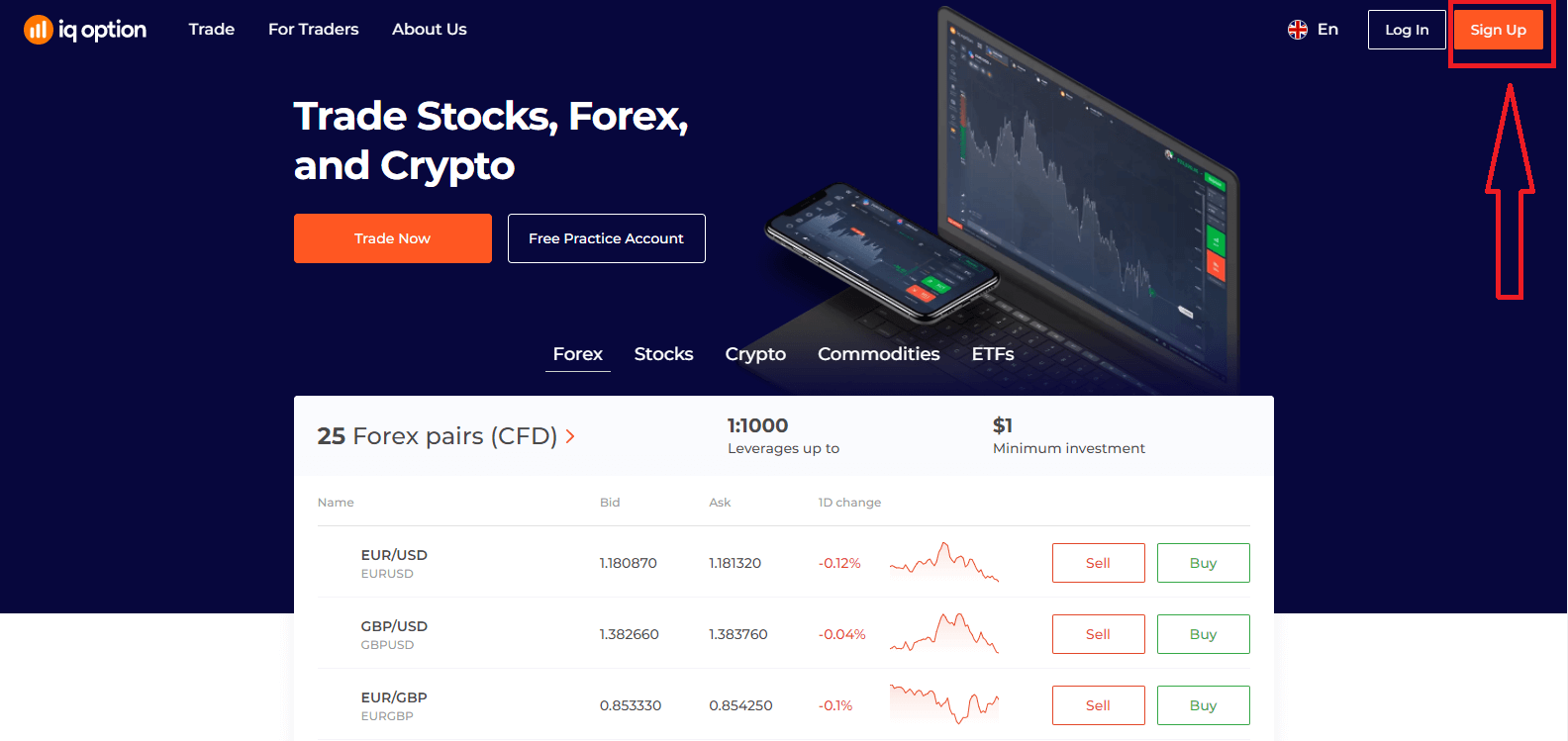
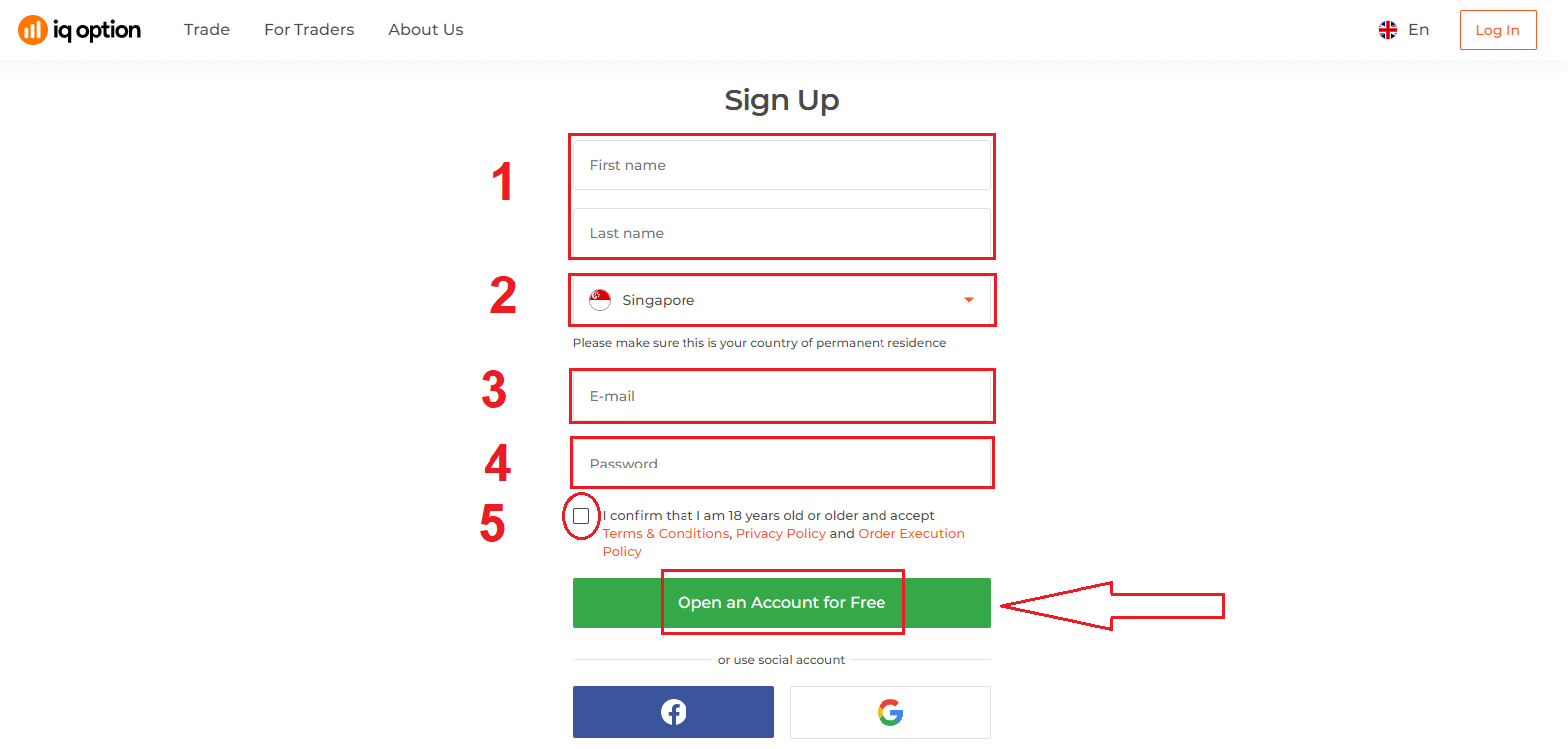
2. To sign-up you need to fill in all the necessary information and click "Open an Account for Free"
- Enter your First name and Last name
- Choose your country of permanent residence
- Enter a valid email address.
- Create a strong password.
- Read "Terms Conditions" and check it
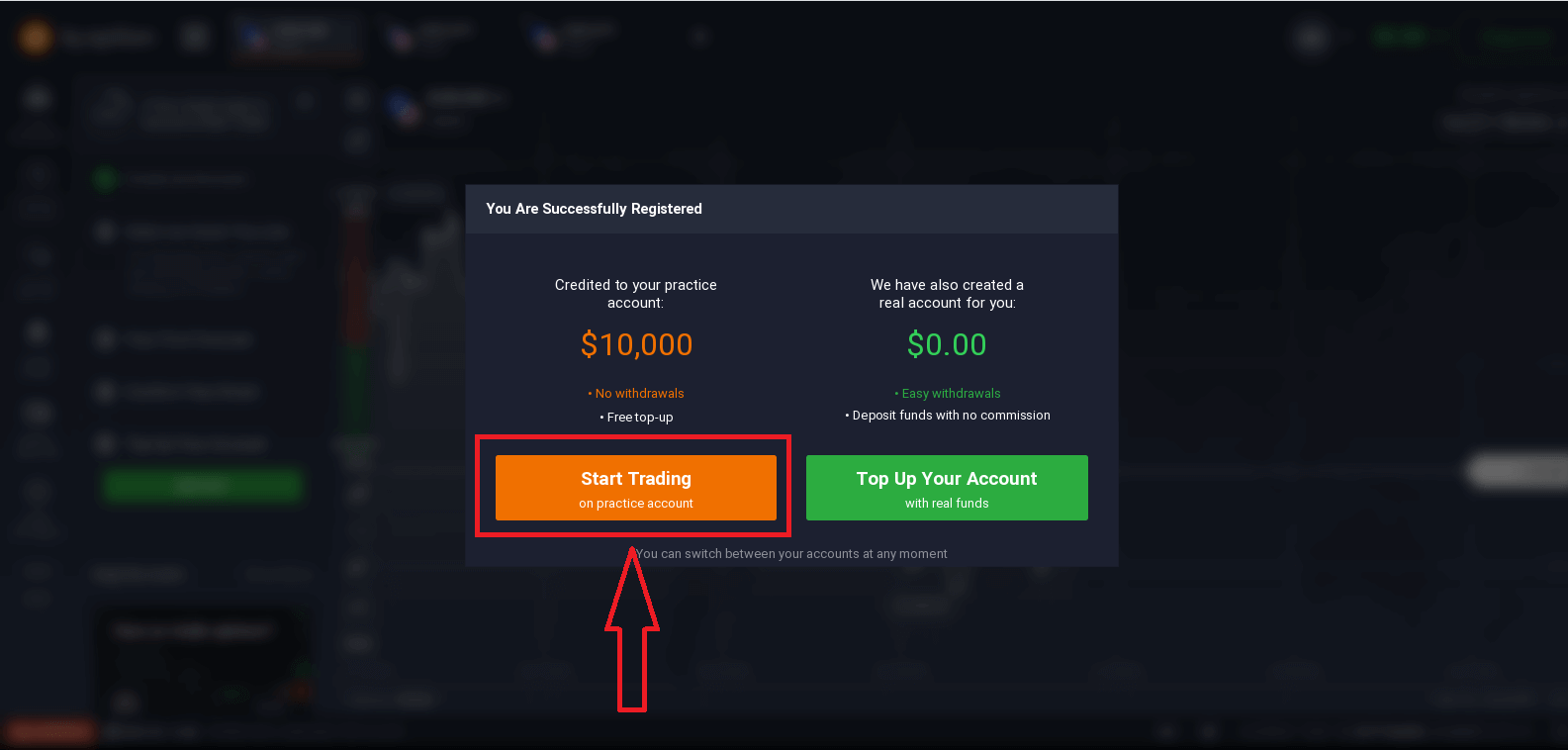
Congratulation! You have registered successfully. Now if you want to use Demo Account, click "Start Trading on practice account".
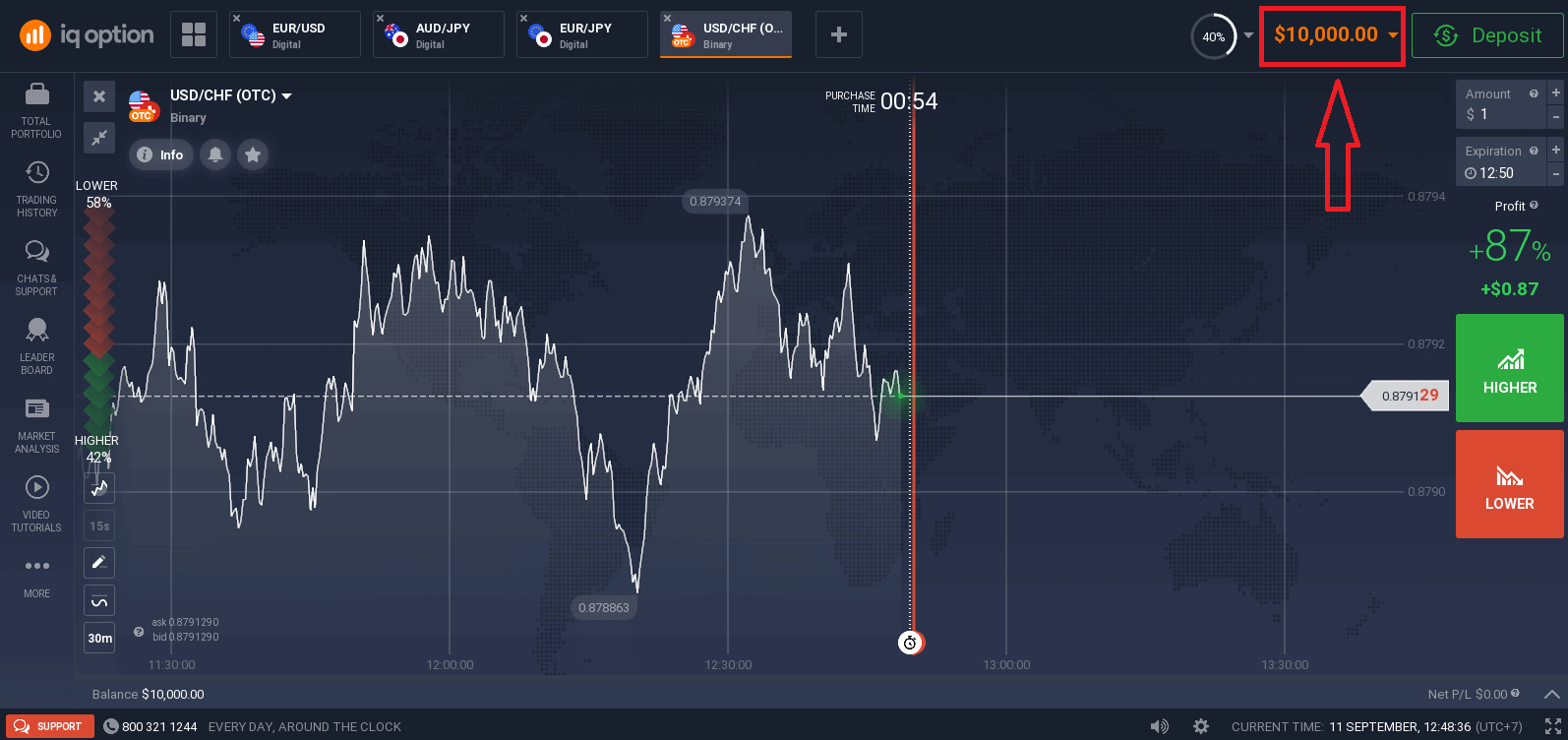
Now you are able to start trading. You have $10,000 in Demo Account. A demo account is a tool for you to get familiar with the platform, practice your trading skills on different assets and try out new mechanics on a real-time chart without risks.
You can also trade on a real account after depositing by clicking "Top Up Your Account with real funds".
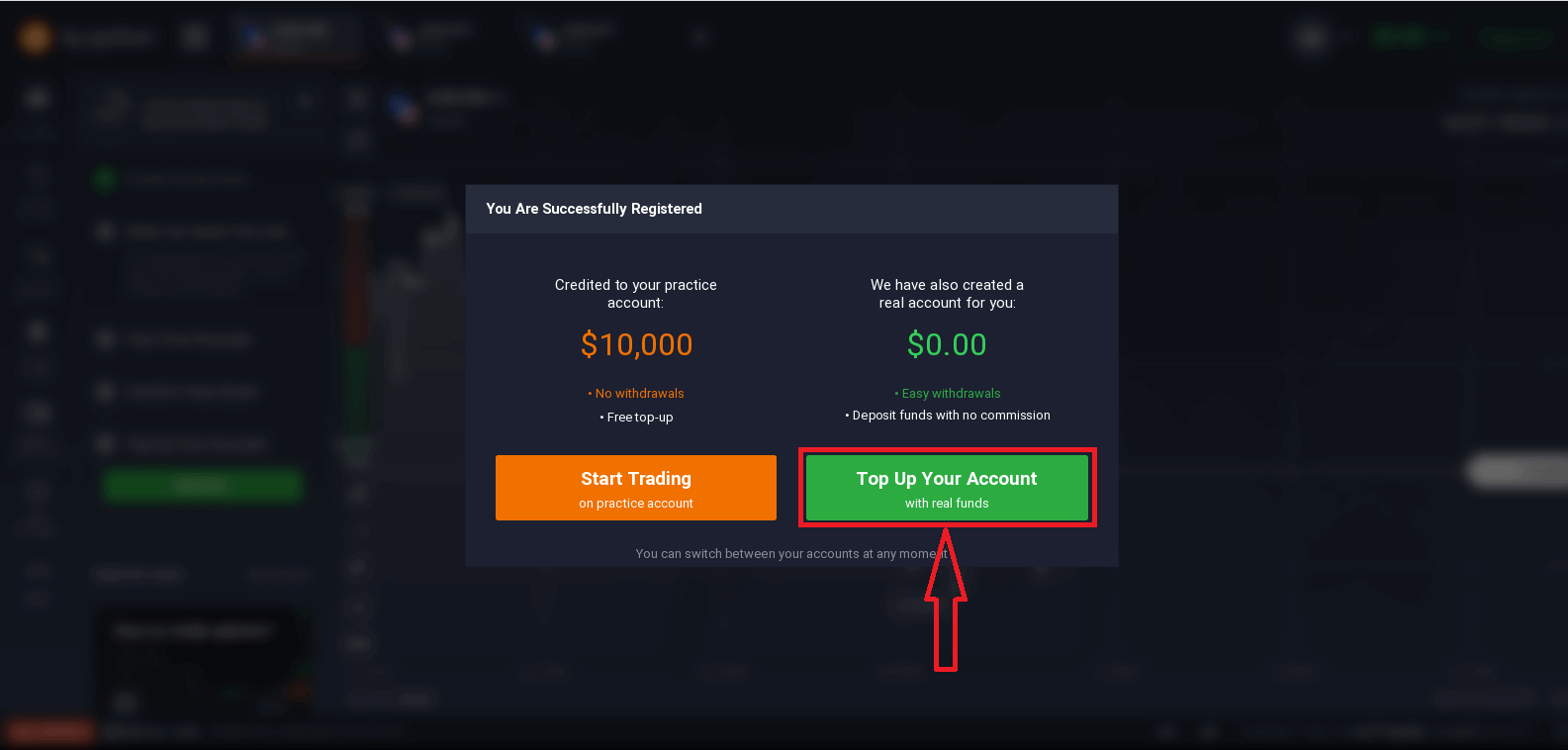
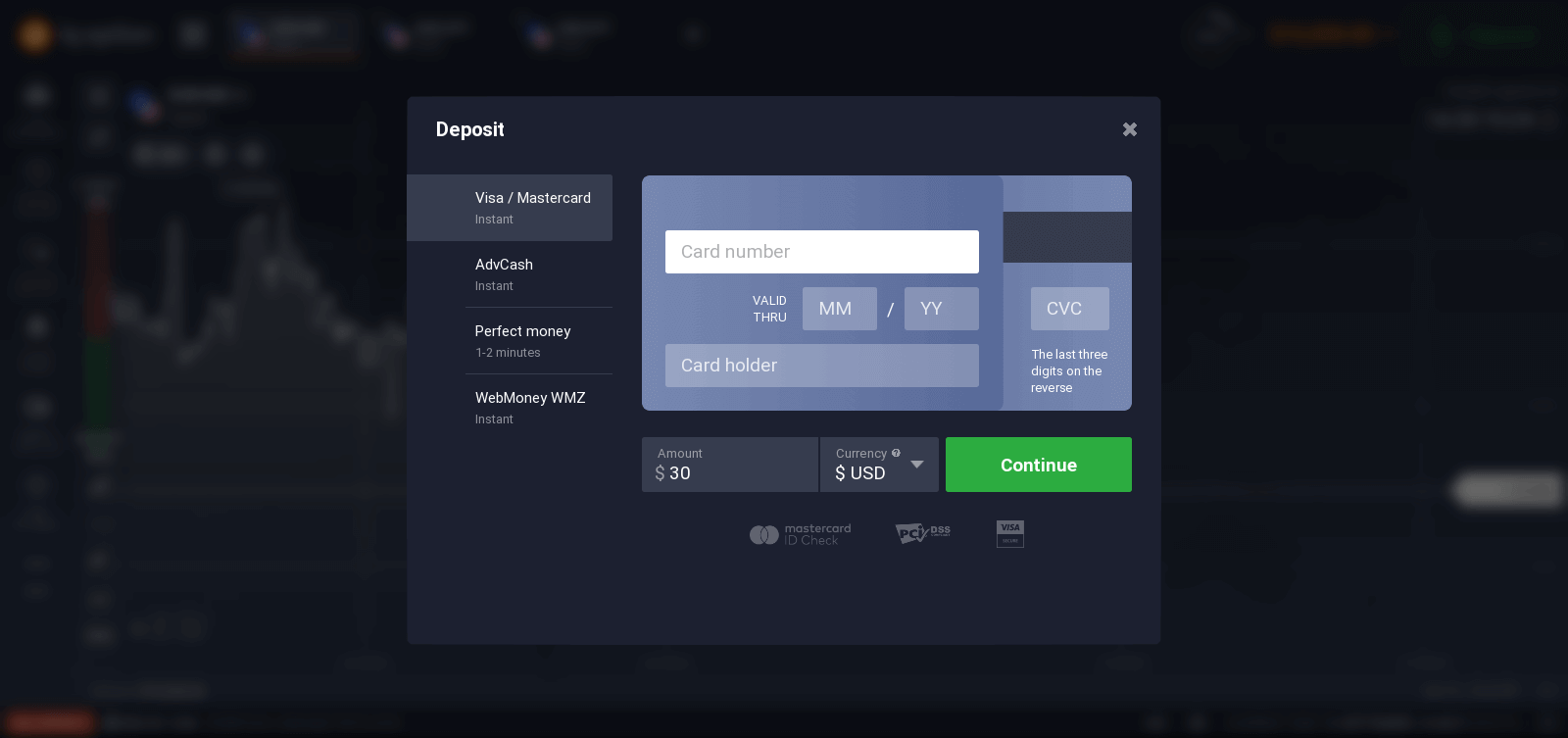
To start Live trading you have to make an investment in your account (The minimum deposit is 10 USD/GBP/EUR).
Refer to this article to know more about Deposit: How to make a Deposit in IQ Option
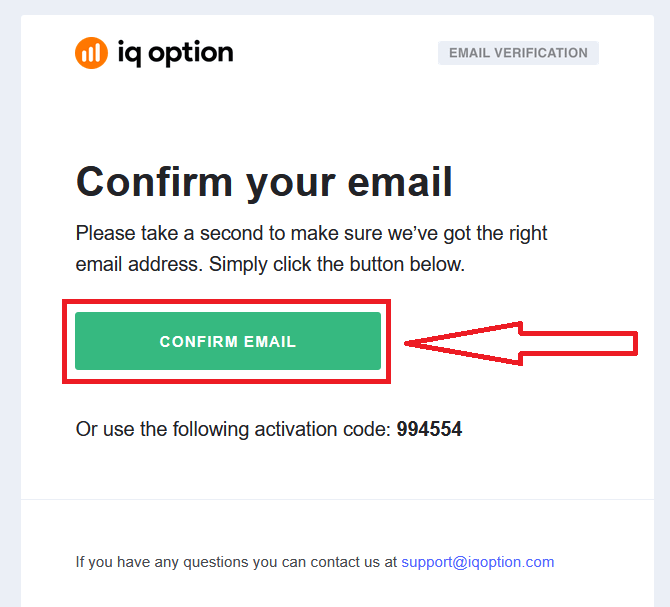
Finally, you access your email, IQ Option will send you a confirmation mail. Click the link in that mail to activate your account. So, you will finish registering and activating your account.
How to Register with a Facebook account
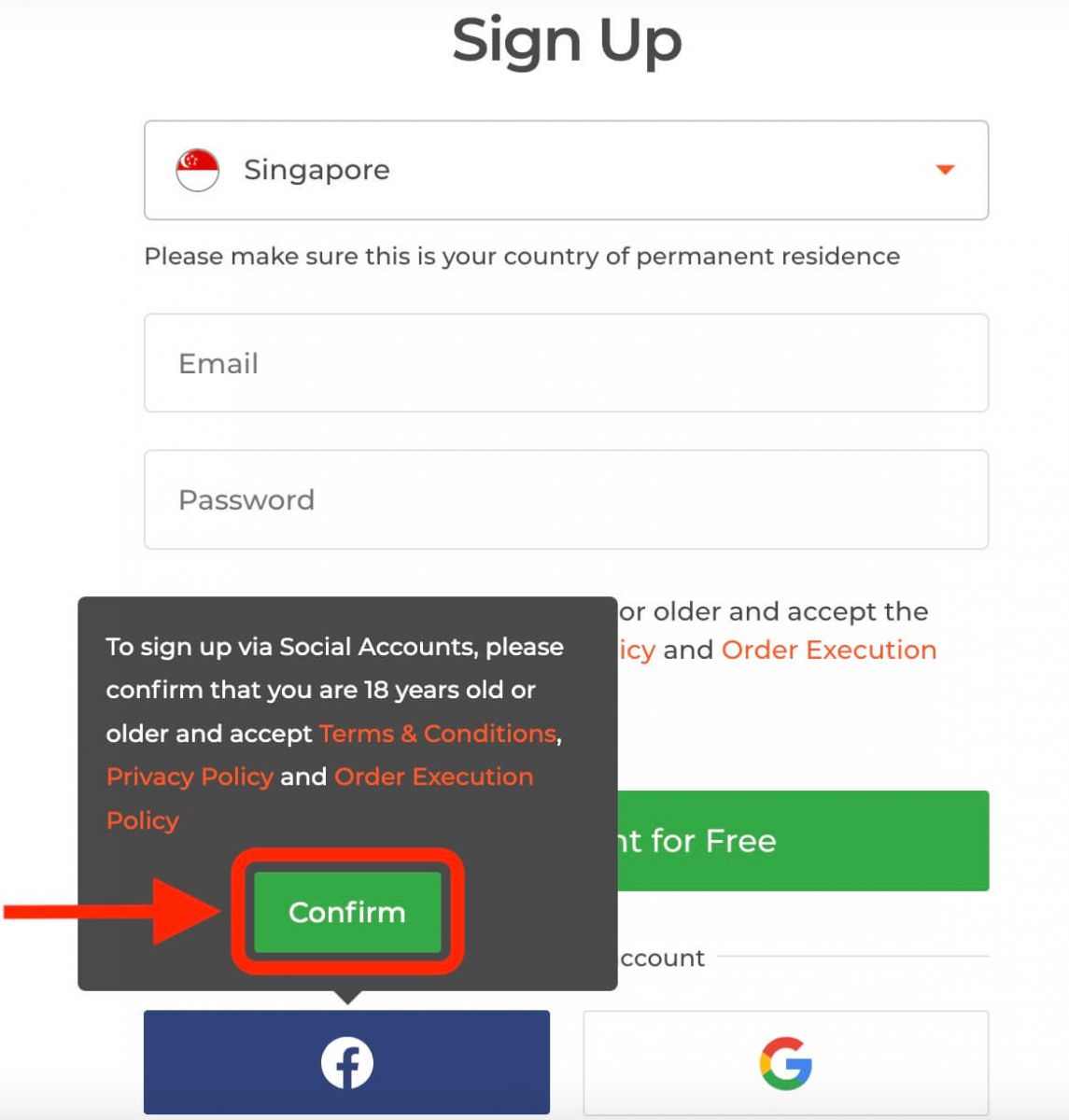
Also, you have the option to open your account through the web by Facebook account and you can do that in just a few simple steps:1. Click on the Facebook button.
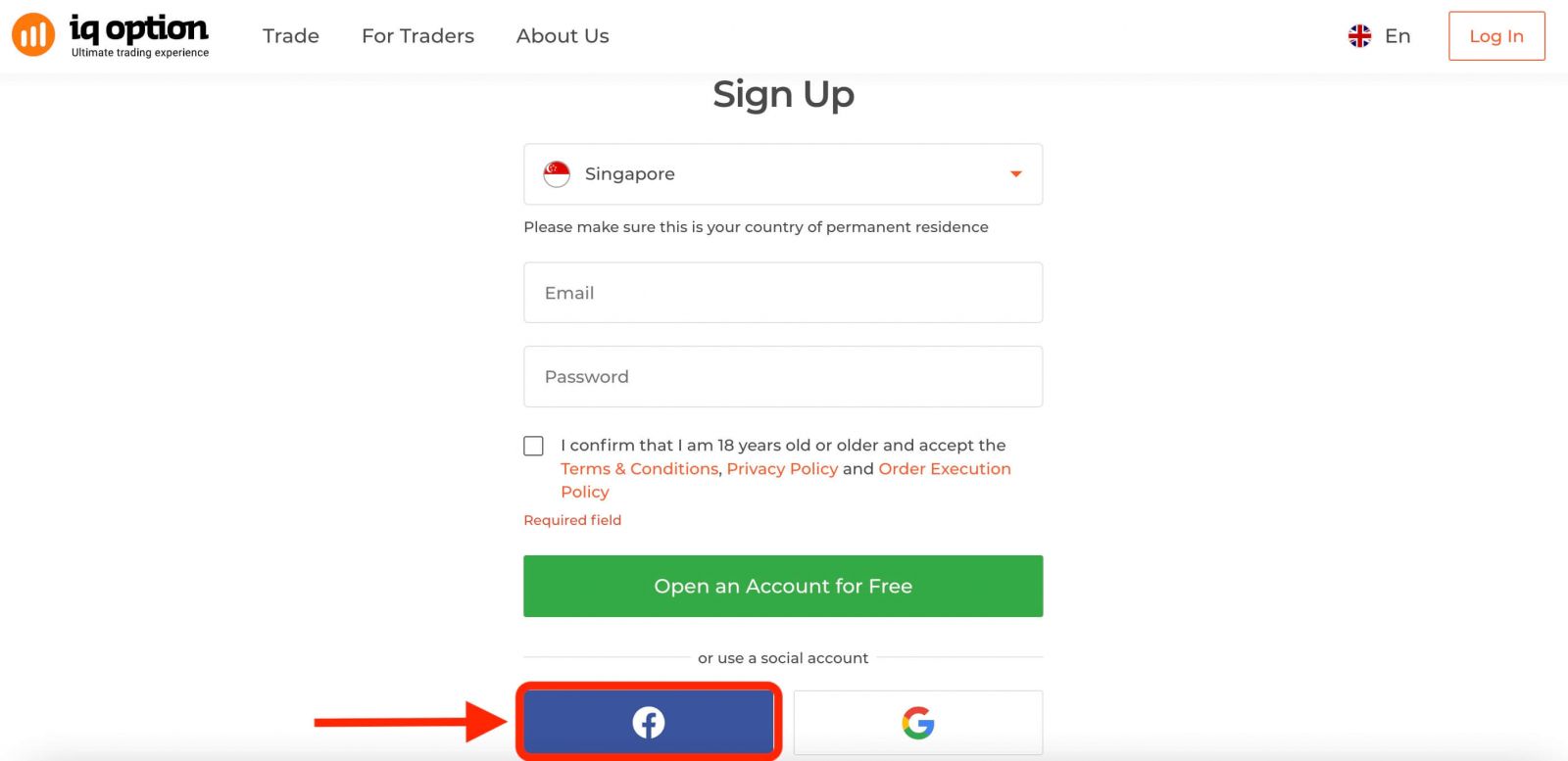
Then It will ask you that you are 18 years old or older and accept the Terms Conditions, Privacy Policy, and Order Execution Policy, click "Confirm".
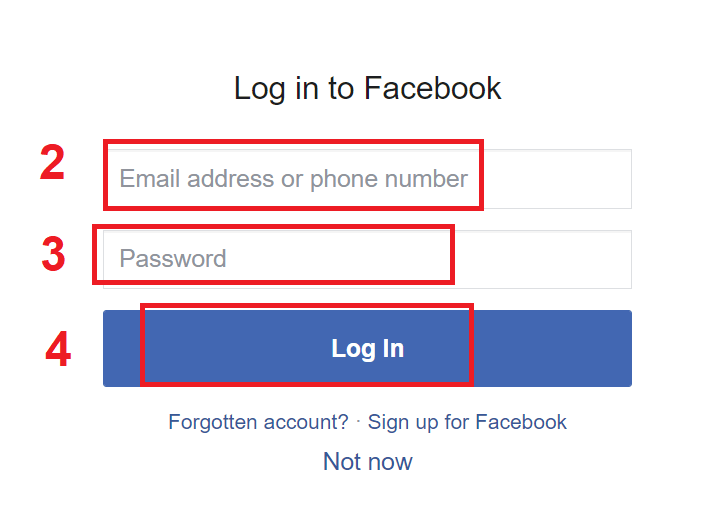
2. Facebook login window will be opened, where you will need to enter your email address that you used to register on Facebook.
3. Enter the password from your Facebook account.
4. Click on “Log In”.
Once you’ve clicked on the “Log in” button, IQ Option is requesting access to: Your name and profile picture and email address. Click Continue...
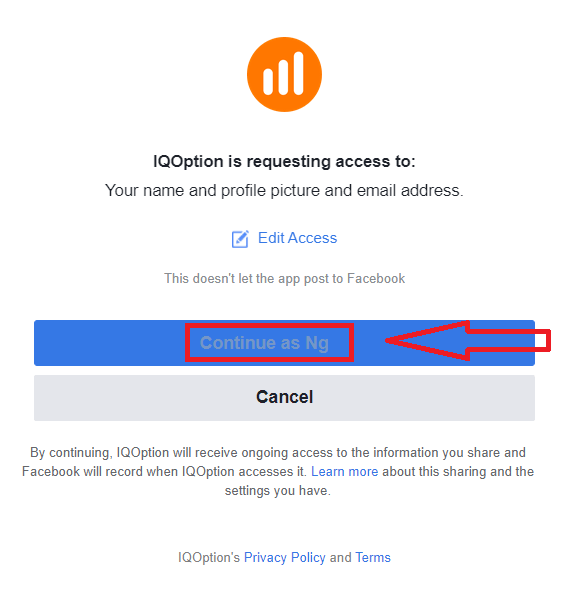
After that You will be automatically redirected to the IQ Option platform.
How to Register with a Google account
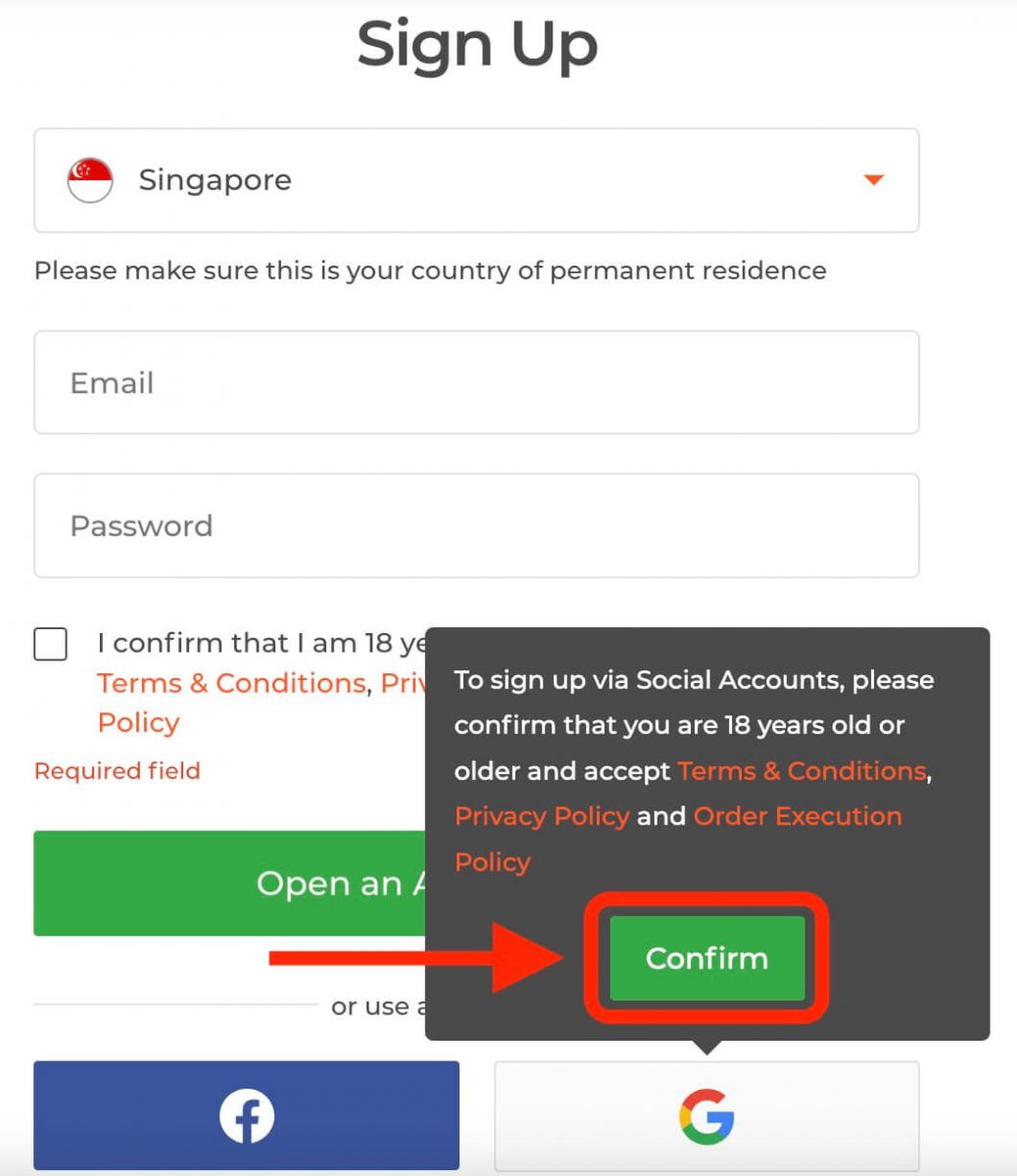
1. To sign up with a Google account, click on the corresponding button in the registration form.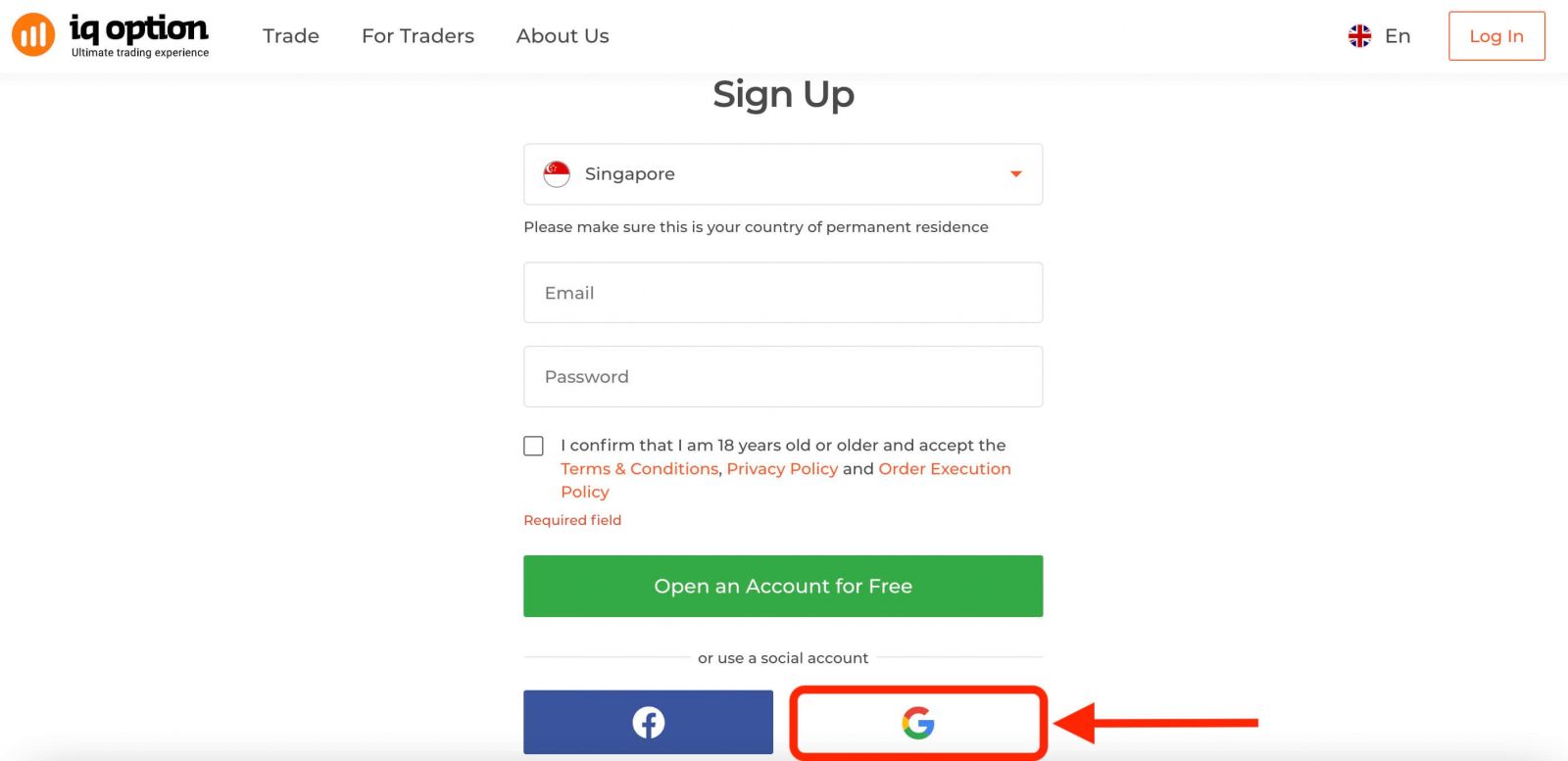
Then It will ask you that you are 18 years old or older and accept Terms Conditions, Privacy Policy and Order Execution Policy, click "Confirm"
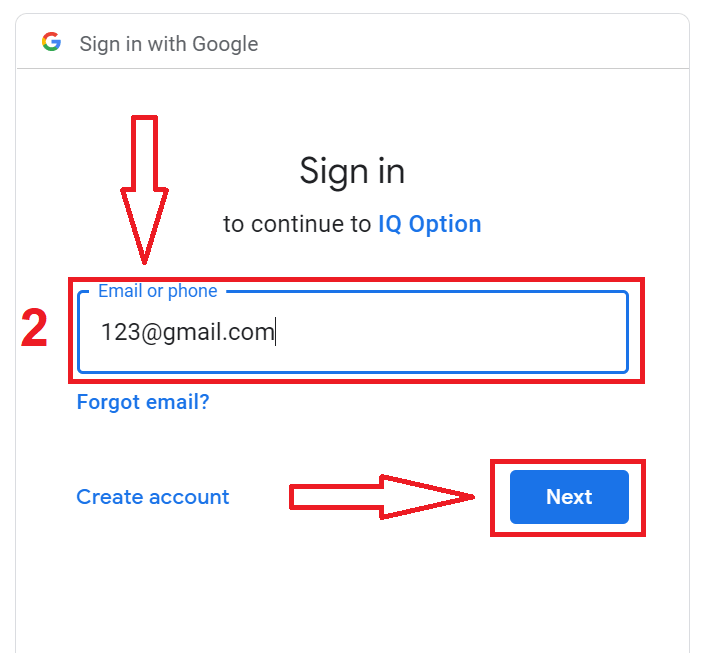
2. In the newly opened window enter your phone number or email and click "Next".
3. Then enter the password for your Google account and click “Next”.
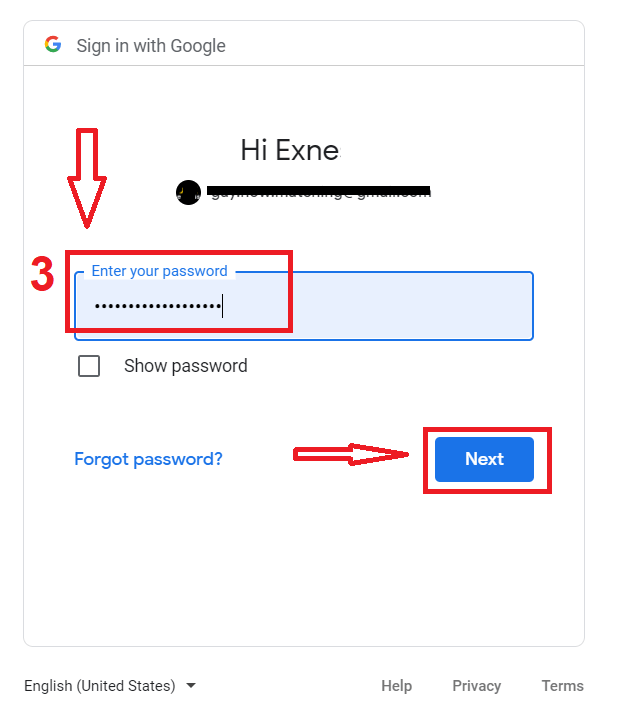
After that, follow the instructions sent from the service to your email address.
Register on IQ Option iOS App
If you have an iOS mobile device you will need to download the official IQ Option mobile app from App Store or here. Simply search for “IQ Option - FX Broker” app and download it on your iPhone or iPad.The mobile version of the trading platform is exactly the same as web version of it. Consequently, there won’t be any problems with trading and transferring funds. Moreover, IQ Option trading app for iOS is considered to be the best app for online trading. Thus, it has a high rating in the store.
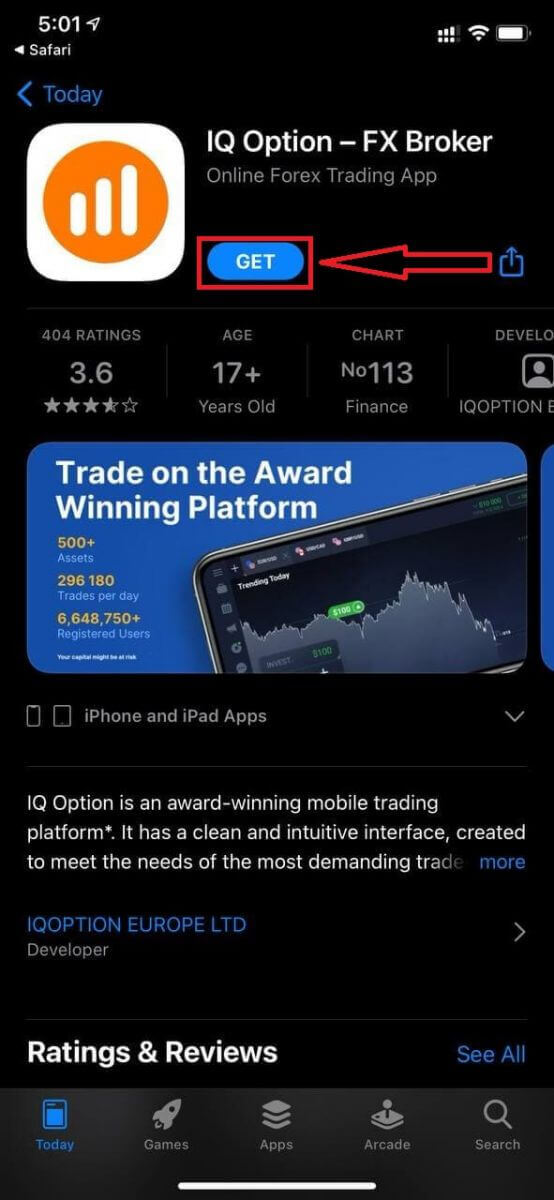
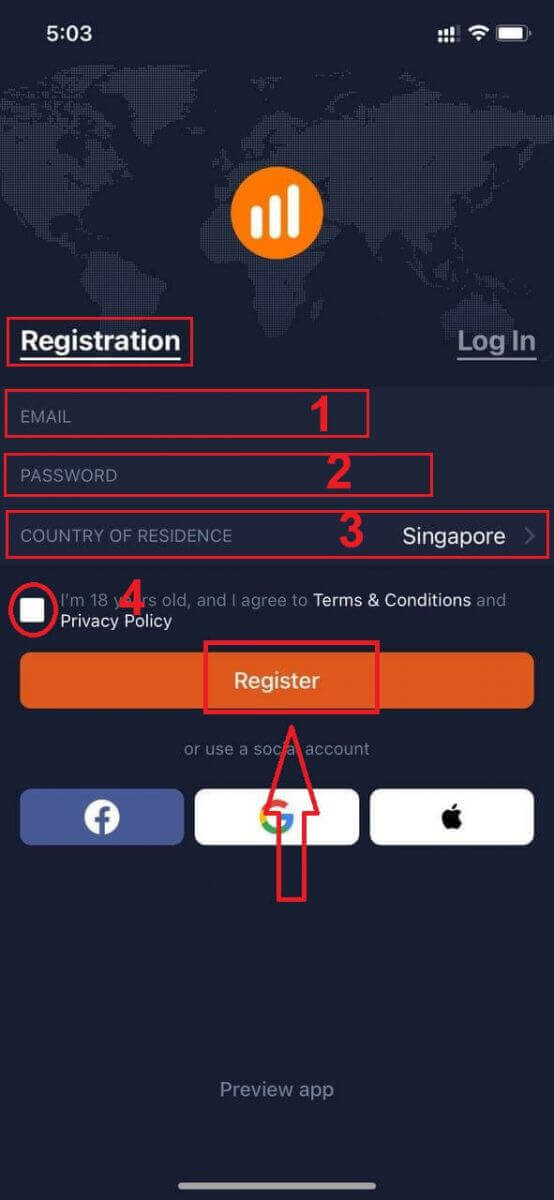
Registration for the iOS mobile platform is also available for you.
- Enter a valid email address.
- Create a strong password.
- Select your country of permanent residence
- Check "Terms Conditions" and click "Register"
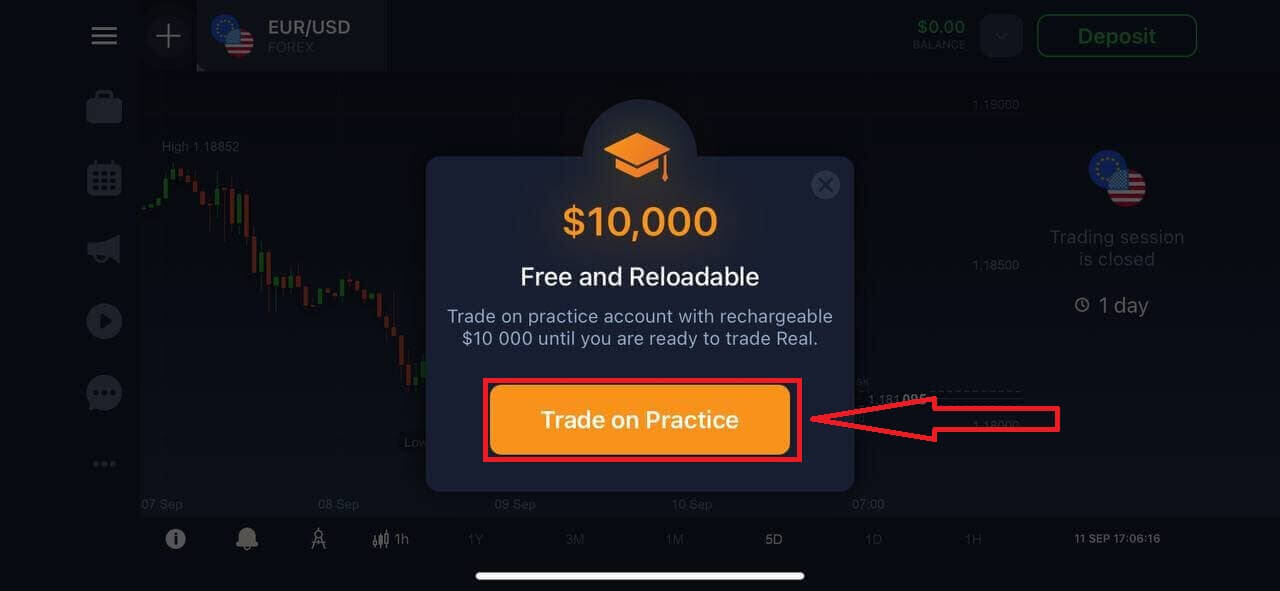
Congratulation! You have registered successfully, click "Trade on Pratice" for Trading with Demo Account.
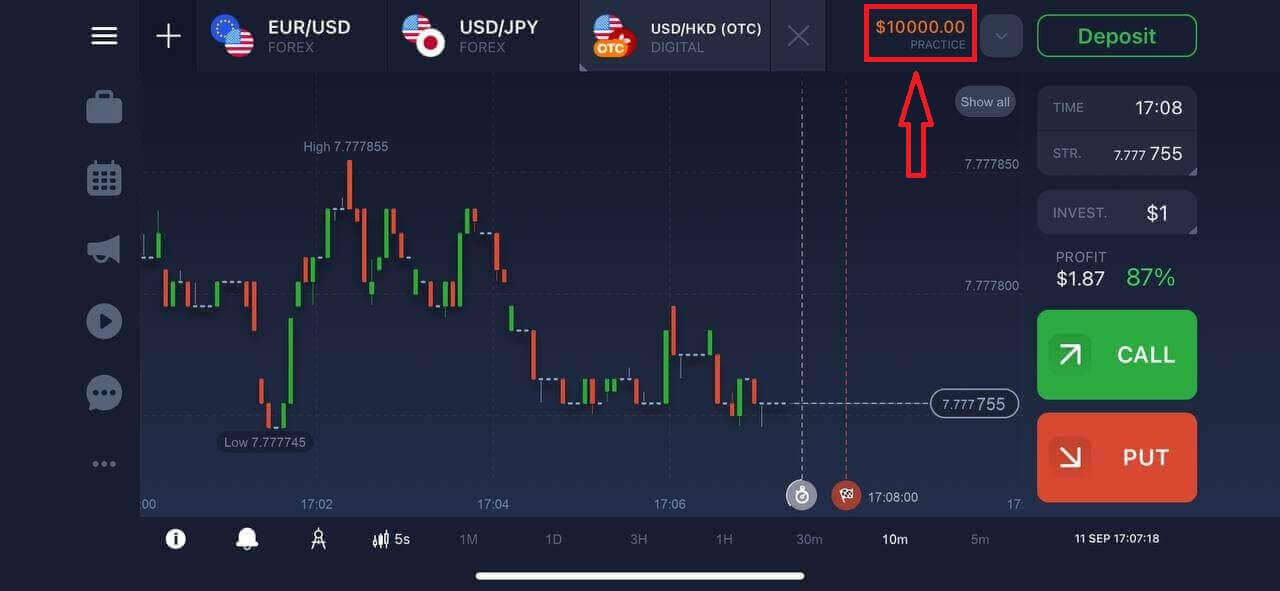
You have $10,000 in Demo Account.
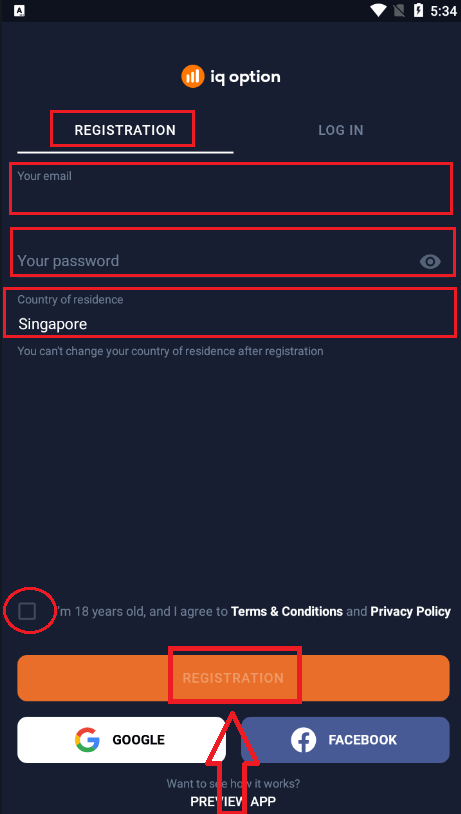
Register on IQ Option Android App
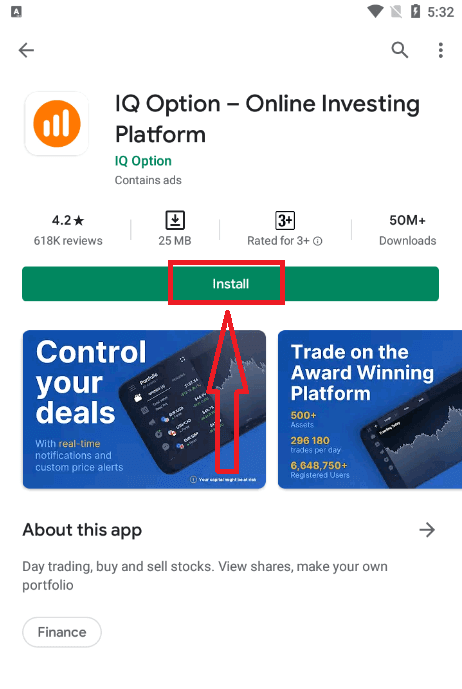
If you have an Android mobile device you will need to download the official IQ Option mobile app from Google Play or here. Simply search for “IQ Option - Online Investing Platform” app and download it on your device.The mobile version of the trading platform is exactly the same as web version of it. Consequently, there won’t be any problems with trading and transferring funds. Moreover, IQ Option trading app for Android is considered to be the best app for online trading. Thus, it has a high rating in the store.
Registration for the Android mobile platform is also available for you.
- Enter a valid email address.
- Create a strong password.
- Select your country of permanent residence
- Check "Terms Conditions" and click "Registration"
Congratulation! You have registered successfully, click "Trade on Practice" for Trading with Demo Account.
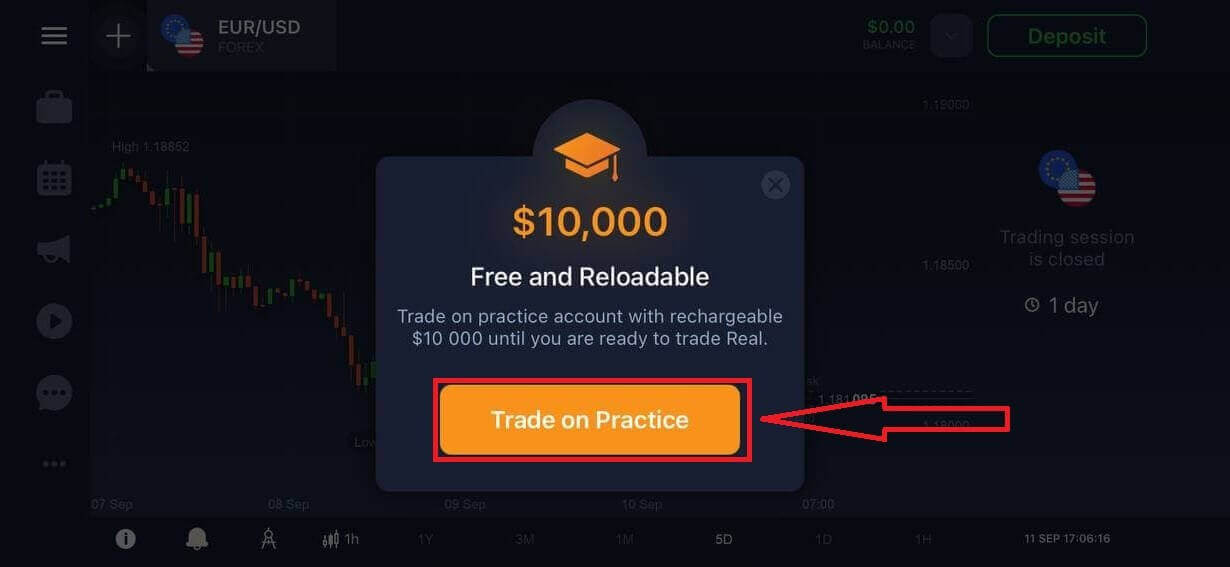
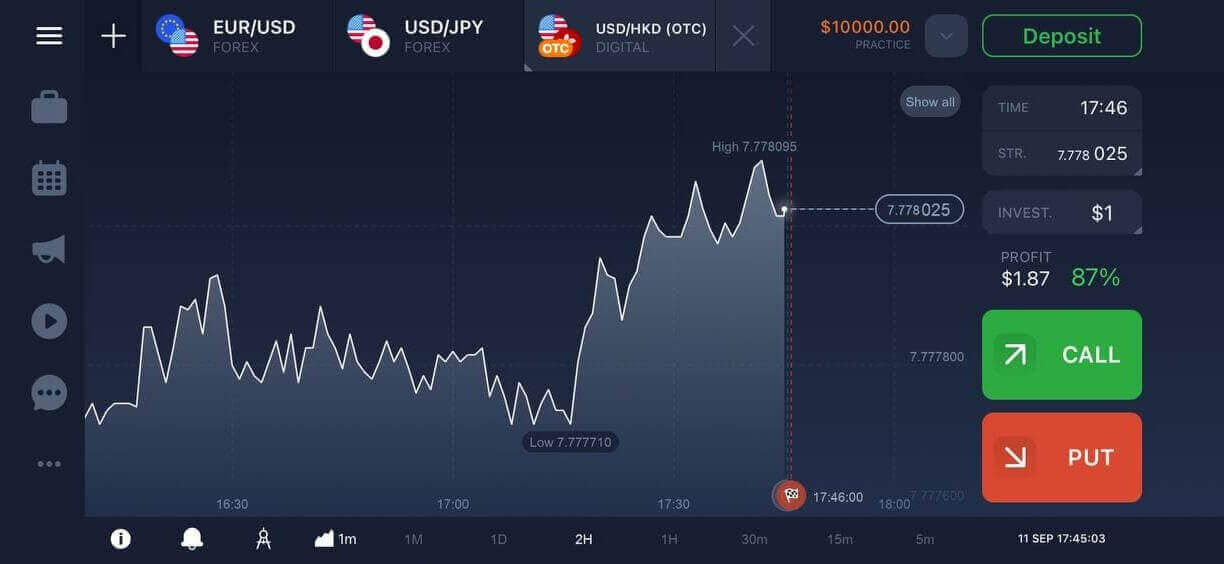
You have $10,000 in Demo Account.
Register IQ Option account on Mobile Web Version
If you want to trade on the mobile web version of IQ Option trading platform, you can easily do it. Initially, open up your browser on your mobile device and visit the website of the broker.Tap the "Trade Now" button in the center.
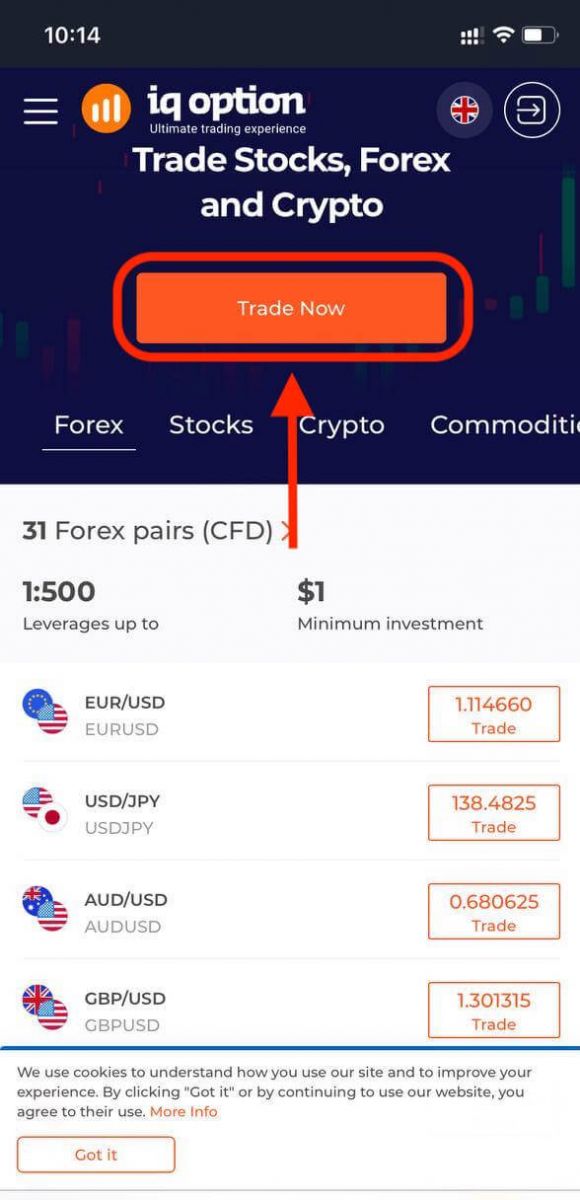
At this step we still enter the data: email, password, check "Terms Conditions" and tap "Open an Account for Free".
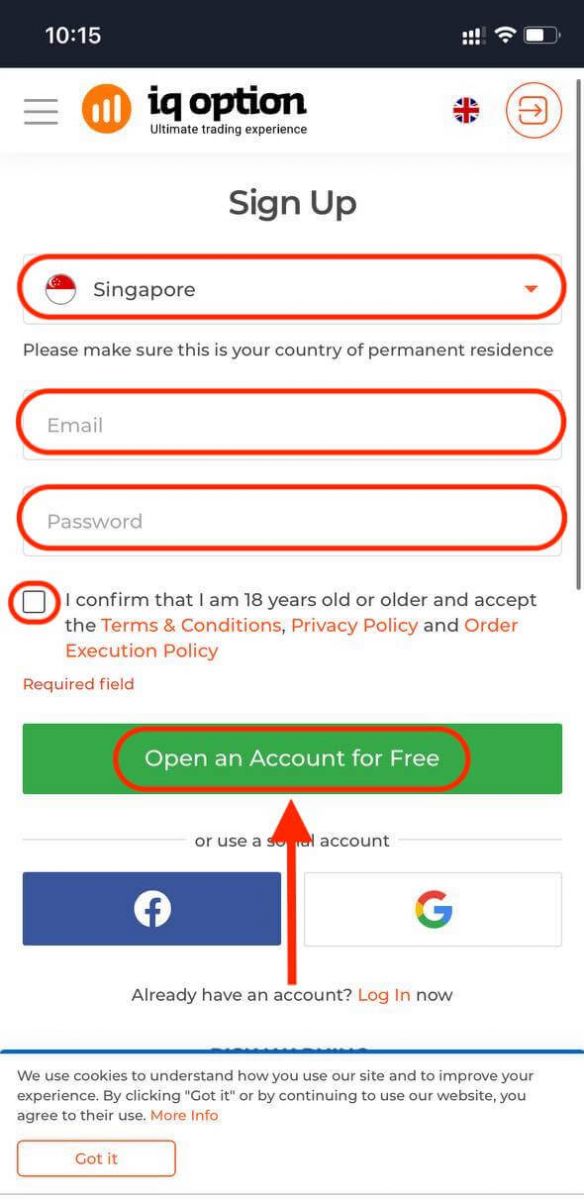
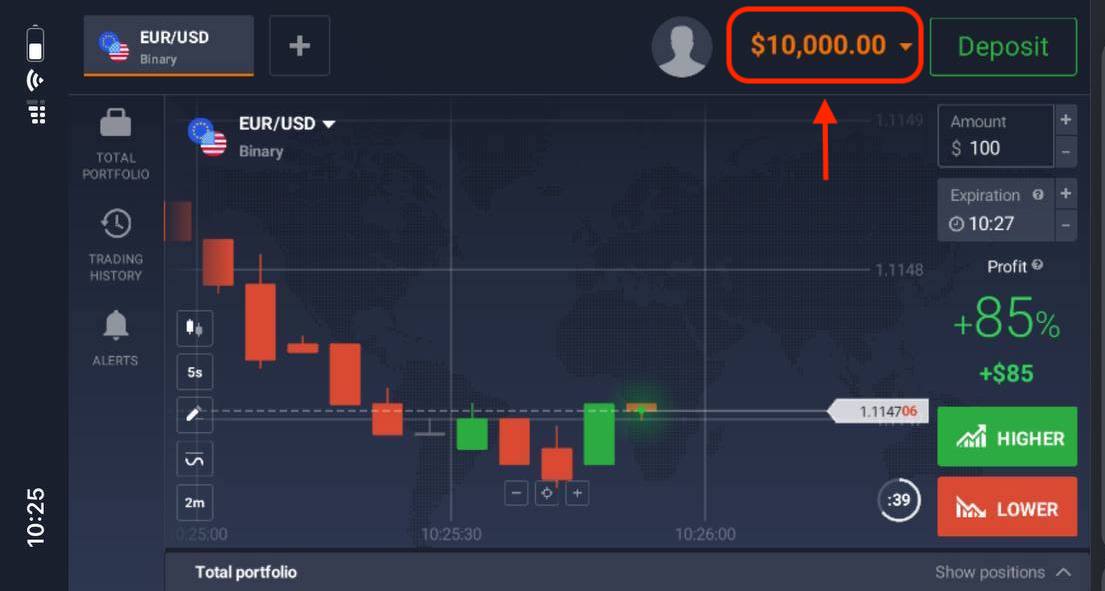
Here you are! Now you will be able to trade from the mobile web version of the platform. The mobile web version of the trading platform is exactly the same as the regular web version of it. Consequently, there won’t be any problems with trading and transferring funds.
You have $10,000 in Demo Account.
Frequently Asked Questions (FAQ)
How much money can I make on the practice account?
You can’t take any profit from transactions you complete on the practice account. You get virtual funds and make virtual transactions. It is intended for training purposes only. To trade using real money, you need to deposit funds to a real account.
How do I switch between the practice account and the real account?
To switch between accounts, click your balance in the upper-right corner. Make sure you are in the traderoom. The panel that opens shows all your accounts: your real account and your practice account. Click an account to make it active so you can use it for trading.
How do I top up the practice account?
You can always top up your practice account for free if the balance falls below $10,000. First, you must select this account. Then click the green Deposit button with two arrows in the upper-right corner. A window opens where you can choose which account to top up: the practice account or the real one.
Do you have apps for PC, iOS, or Android?
Yes, we do! And on computers, the platform responds faster in the application for Windows and Mac OS. Why is it faster to trade in the application? The website is slower to update movements on the chart because the browser doesnt use available WebGL capabilities for maximizing the computer’s video card resources. The application doesn’t have this limitation, so it updates the chart almost instantaneously. We also have apps for iOS and Android. You can find and download the applications on our download page.If a version of the app is not available for your device, you can still trade using the IQ Option website.
How can I secure my account?
To secure your account, use 2-step authentication. Each time you log in to the platform, the system will require you to enter a special code sent to your phone number. You can activate the option in the Settings. FAQs
Create an account with your email or phone and confirm the verification link or SMS, complete your profile and choose account currency, optionally try the demo, then upload a valid photo ID and proof of address in the accepted formats; wait for verification, enable two-factor authentication and set a strong password, and fund the account using a supported payment method to activate live trading. Contact support with screenshots if verification stalls.
Typically a government-issued photo ID (passport, national ID card, or driver’s license) plus a recent proof of address such as a utility bill or bank statement. Documents must be clear, unexpired, show your full name and address, and be uploaded in the formats requested; additional proof of payment or source-of-funds may be requested for specific deposits.
IQ Option’s minimum deposit to start live trading is typically low (commonly around $10), but the exact minimum can vary by country, account currency and payment method. Check the deposit screen in your account for the current minimum and be aware some payment providers or local rules may impose higher limits.
Check spam/junk folders and any email filters, confirm you entered the correct email, and use the platform’s resend confirmation option. If SMS was selected, verify the phone number format and network coverage. Try clearing cache or the mobile app and, if still unresolved, contact support with the signup time and screenshots so they can investigate and manually verify your account if needed.
Enable two-factor authentication, use a unique strong password, complete identity verification promptly, and avoid accessing the account on public or shared networks. Keep your registered email and phone current, never share credentials or documents with third parties, use only the official app or website, and respond quickly to verification or security requests to prevent temporary trading or withdrawal restrictions.